Blender - Differences with Unreal

Differences between Blender and Unreal that are good to know for avatar authors.
Coordinate System Differences
Blender uses a right-handed coordinate system, whereas Unreal uses a left-handed one.
With default exporter/importer settings, basically think of it as the Y-axis flipping in Unreal.
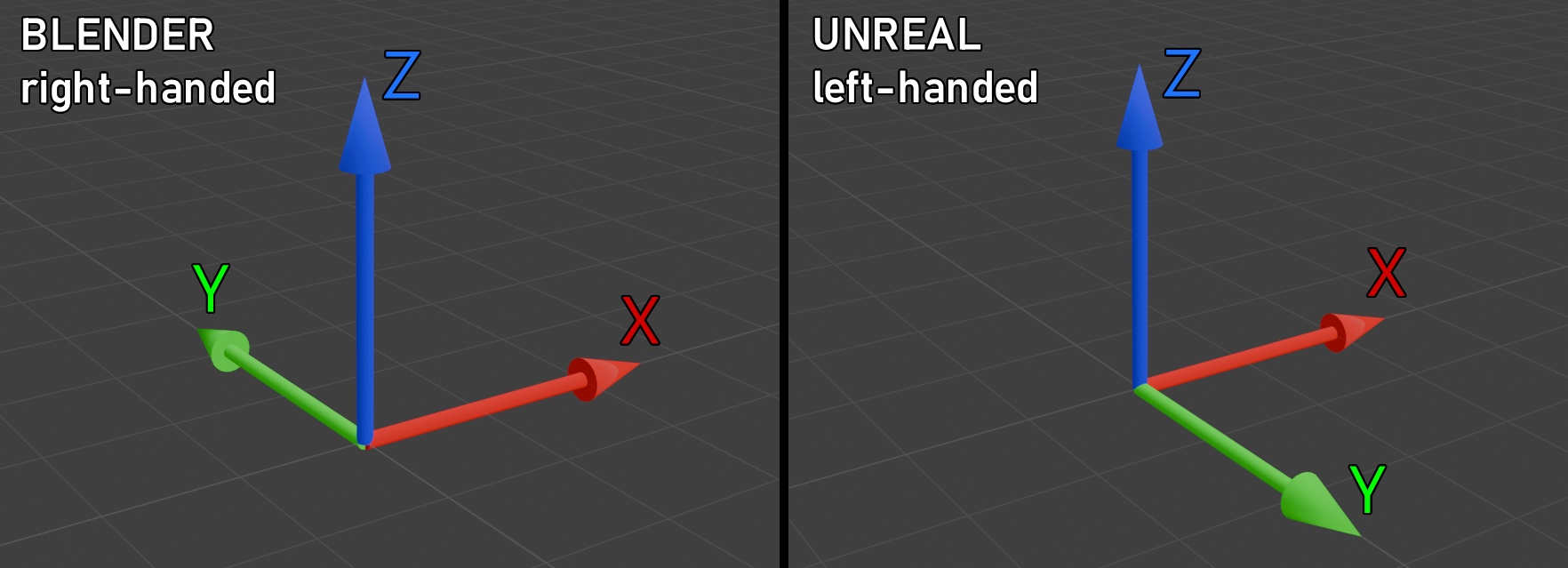
For the most part, you can ignore this discrepency. Default FBX exporter and importer settings will convert coordinate systems correctly.
Bone Differences
Blender’s bones are fully compatible with Unreal, but they are represented differently.
Blender Bones
- Consists of a head and a tail, with a shaft in-between. The bone’s origin is at the head, and it is oriented such that the Y-axis of the bone points toward the tail.
- In a heirarchy, they can be either connected or disconnected.
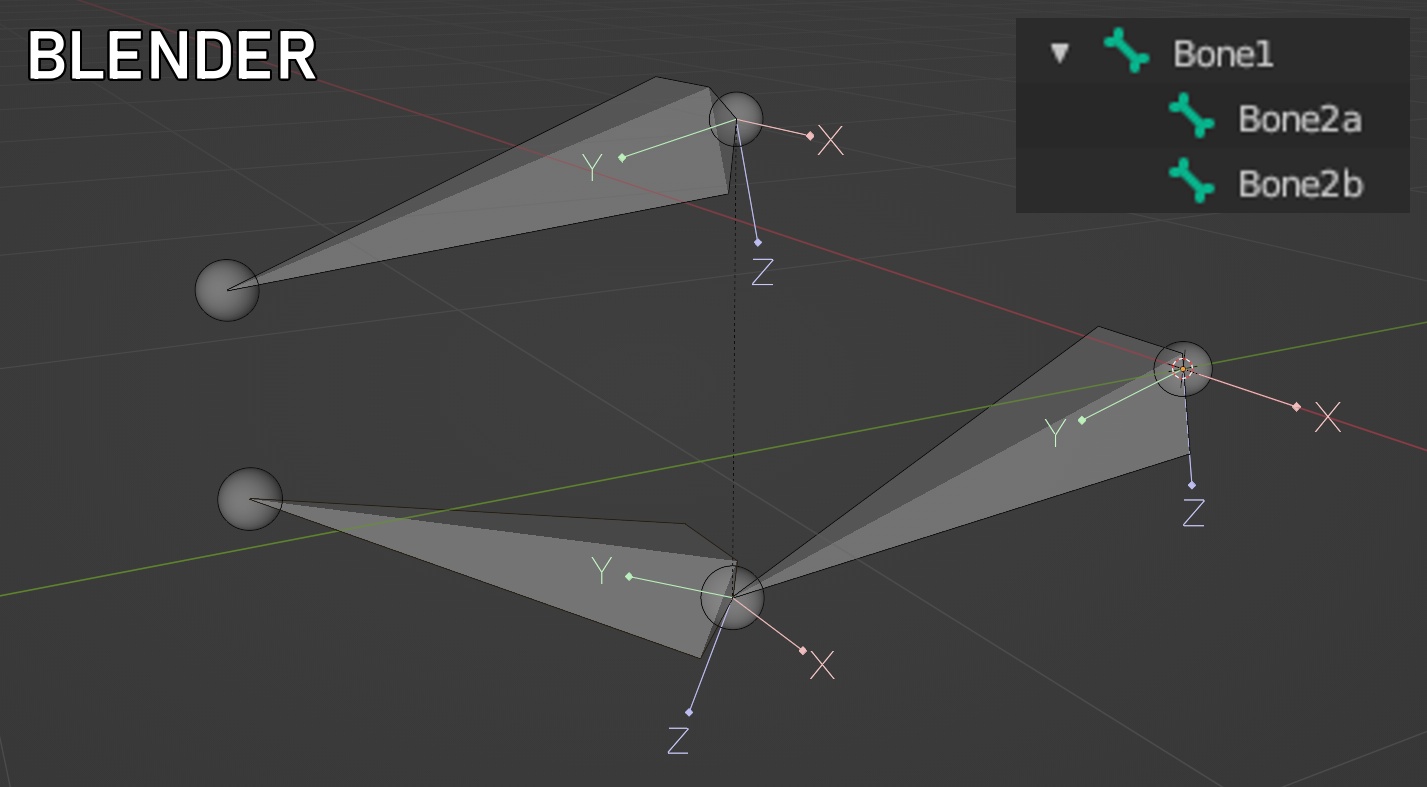
This example shows 3 bones. Bone1 is the root, and Bone2a and Bone2b its children. Bone2a is connected, and Bone2b is disconnected.
Unreal Bones
- Represented by a single point, with any orientation.
- In a heirarchy, shafts will be drawn between a parent and its children.
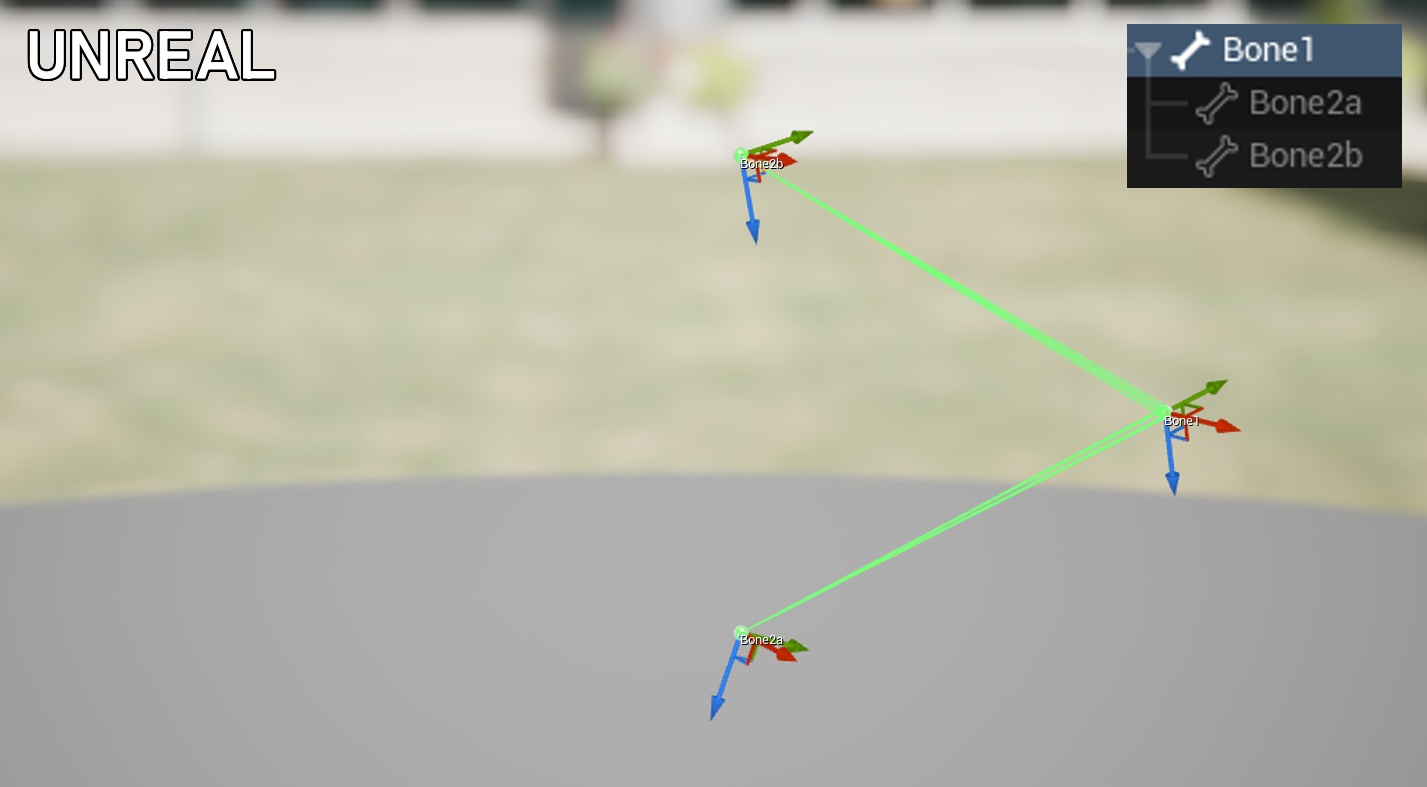
Yes, this is the exact same skeleton as above.
Even though Bone2a and Bone2b don’t have a shaft drawn, they work identically to the Blender skeleton.
You’ll also notice the flipped Y-axis, due to Unreal’s left-handed coordinate system.